
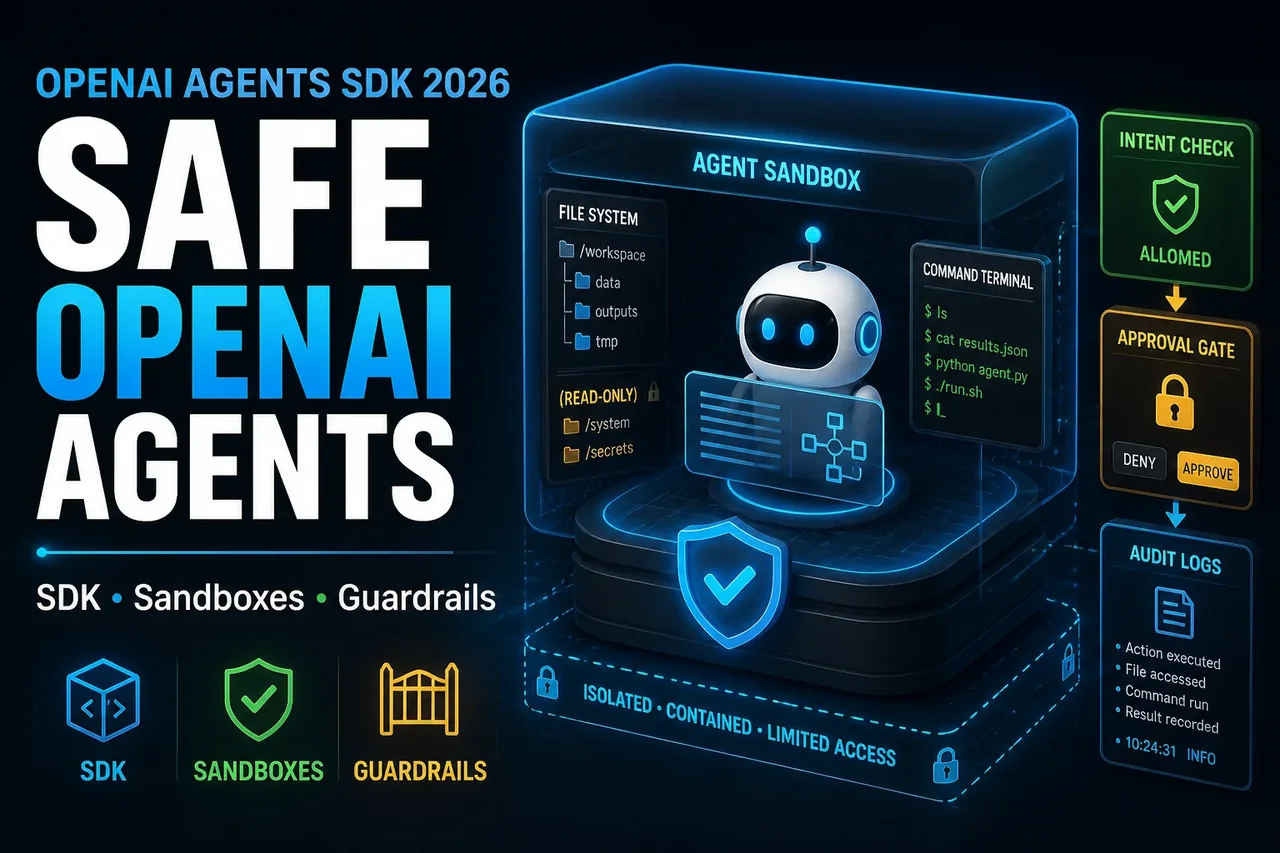
OpenAI Agents SDK 2026: Building Safer Long-Running Agents with Sandboxes
OpenAI Agents SDK 2026: Building Safer Long-Running Agents with Sandboxes
Long-running AI agents are no longer just chatbots with tool calls. A useful production agent may need to inspect files, search a repository, run commands, edit code, generate artifacts, pause for human review, resume later, and leave behind an auditable trace of what happened. That is a very different engineering problem from sending one prompt to a model and returning one answer.
OpenAI’s 2026 Agents SDK direction is important because it shifts attention from “how do I call a model?” to “how do I safely run an agent loop?” The updated SDK emphasizes a model-native harness, sandbox execution, file and command workflows, durable state, guardrails, observability, and production control boundaries. For AI engineers, backend developers, DevOps teams, and technical founders, this is the infrastructure layer that separates demos from deployable agent systems.
This guide explains the architecture ideas behind the new direction. It intentionally avoids depending on unstable method names unless they are directly shown in OpenAI’s official material. Where implementation details may change, examples are labeled as conceptual pseudocode.
1. Introduction: Why Long-Running Agents Need Better Infrastructure
Short model calls are easy to reason about. You send input, receive output, validate it, and store the result. Long-running agents are different. They may take dozens or hundreds of steps. They may call tools, inspect files, mutate a workspace, run scripts, and decide whether additional evidence is needed.
That creates new failure modes:
- The agent can read the wrong file or trust malicious instructions inside a document.
- A shell command can modify files outside the intended scope.
- A tool call can leak secrets if credentials are available in the execution environment.
- A long task can fail halfway through and lose state.
- A model can produce a confident summary that does not match the actual artifacts.
- Reviewers may not know which files, commands, or decisions produced the final answer.
The answer is not simply “use a better model.” Long-running agents need a runtime: workspace isolation, permission boundaries, resumable state, logs, traces, retries, policy checks, and human approval for sensitive actions. The updated OpenAI Agents SDK direction addresses this by making the agent harness and sandbox execution environment first-class parts of the developer workflow.
2. What Changed in the OpenAI Agents SDK
OpenAI’s 2026 update describes the Agents SDK as moving toward a more capable harness for the agent loop. The SDK is designed to help agents work across files, tools, and controlled computer environments rather than relying only on prompt context.
The most important changes are:
- A more capable agent harness: The harness manages the model loop, tool routing, orchestration, state, approvals, and recovery logic.
- Native sandbox execution: Agents can run in controlled environments with files, commands, packages, ports, snapshots, and resumable state.
- Workspace manifests: A manifest concept describes the starting workspace: files, directories, repositories, mounts, environment setup, and output locations.
- Separation of harness and compute: The control plane can stay in trusted infrastructure while model-directed execution happens inside isolated sandbox compute.
- Tool and file primitives: The direction includes filesystem tools, shell execution, patch application, skills, MCP-style integrations, and structured workflows.
- Production support patterns: The official docs include guardrails, human review, observability, tracing, and evaluation workflows.
The key architectural message is that an agent should not be treated as a single black-box model call. It should be treated as a controlled workflow with clear boundaries between reasoning, execution, state, tools, policy, and approval.
3. What an Agent Harness Is
An agent harness is the control layer around the model. It decides how the agent loop runs, which tools are available, when to call the model again, how to route tool results back into the workflow, when to pause, and how to recover from failure.
In a production system, the harness typically owns:
- Agent instructions and task policy
- Model selection and routing
- Tool registration and permission rules
- Run state and checkpoints
- Human approval gates
- Retries and failure handling
- Audit logs and traces
- Cost and rate-limit controls
The harness is not the same as the sandbox. The harness is the control plane. The sandbox is the execution plane. This distinction matters because you do not want model-generated code, shell commands, or untrusted documents running in the same place where your production credentials, billing systems, audit systems, and policy enforcement live.
4. Why Sandbox Execution Matters
A sandbox is an isolated workspace where the agent can inspect files, run commands, install dependencies, create outputs, and preserve state. This matters because many useful tasks cannot be completed from prompt text alone.
For example, a code review agent may need to clone a repository, inspect diffs, run tests, apply a patch, generate a report, and expose artifacts for review. A research automation agent may need to mount a data room, parse documents, create CSV outputs, and produce a cited summary. These workflows need a real workspace, not a giant prompt.
Sandbox execution gives the system several benefits:
- Isolation: The agent works inside a bounded environment instead of your production server.
- Controlled access: Only the required files, mounts, tools, and environment variables are available.
- Artifact handling: Outputs can be inspected before leaving the sandbox.
- Reproducibility: Commands, files, and snapshots make it easier to understand what happened.
- Resumability: A long task can pause, checkpoint, and continue later.
- Scalability: Different tasks or subagents can run in separate containers.
Sandboxing does not make agents automatically safe. It gives you a place to enforce safety. You still need least-privilege credentials, network controls, artifact review, tool approval, and observability.
5. How File Access, Tools, Commands, and Environment Boundaries Work Conceptually
A safer agent system should treat every input as scoped. Files should be mounted deliberately. Commands should be limited by policy. Environment variables should be minimal. Secrets should not be casually injected into the same environment where model-directed commands run.
Conceptually, a sandboxed agent run follows this pattern:
- The application receives a task.
- The harness classifies risk and decides whether a sandbox is required.
- A workspace manifest defines files, directories, repositories, storage mounts, output locations, and environment values.
- The sandbox starts with only the approved workspace.
- The model reasons through the task and requests tools when needed.
- The tool gateway enforces policy before executing commands or file edits.
- Artifacts are stored in known output paths.
- Guardrails and human review decide whether results can leave the sandbox or trigger external side effects.
Conceptual pseudocode only — not official SDK syntax:
task = receive_agent_task()

risk = classify_risk(task)

workspace = create_workspace_manifest({
  "input_mounts": ["repo_snapshot", "issue_context"],
  "output_dirs": ["review_report", "patches"],
  "environment": {
    "MODE": "read_only_until_approved"
  }
})

sandbox = start_sandbox(workspace)

agent_run = harness.run({
  "task": task,
  "sandbox": sandbox,
  "tools": ["file_read", "search", "test_runner"],
  "approval_required_for": ["file_write", "shell_command", "external_api_call"]
})

verify_outputs(agent_run.artifacts)
request_human_review_if_needed(agent_run)
The important pattern is not the exact method name. The important pattern is that file access, command execution, and external side effects are mediated through a policy-aware control layer.
6. Architecture of a Safer Production Agent System
A production agent should be designed like an internal distributed system, not like a prompt script. The following table shows the core components.
| Component | Responsibility | Production Design Guidance |
|---|---|---|
| Task Intake | Receives requests from users, tickets, webhooks, or scheduled jobs | Normalize task type, owner, priority, and risk before starting the agent. |
| Risk Classifier | Decides whether the task is read-only, write-capable, sensitive, or destructive | Use policy rules before the model gets tool access. |
| Agent Harness | Controls the loop, state, tool routing, approvals, traces, and retries | Keep this in trusted infrastructure outside the sandbox when possible. |
| Sandbox Compute | Runs commands, edits files, mounts data, and stores artifacts | Use isolated containers with minimal credentials and scoped network access. |
| Tool Gateway | Approves, denies, or transforms tool calls | Enforce allowlists, command limits, path restrictions, and timeouts. |
| Artifact Store | Stores patches, reports, logs, screenshots, CSVs, and generated files | Review artifacts before publishing or moving them into trusted systems. |
| Evaluation Layer | Tests accuracy, safety, cost, and task completion quality | Use repeatable datasets and regression tests for agent workflows. |
| Human Approval | Approves sensitive actions before execution or release | Require approval for writes, deployments, cancellations, financial actions, or external messages. |
| Observability | Records model calls, tool calls, traces, costs, errors, and decisions | Make every production run debuggable after the fact. |
Simple Agent Lifecycle Diagram
User / System Trigger
        |
        v
Task Intake + Risk Classification
        |
        v
Harness Creates Plan and Workspace Manifest
        |
        v
Sandbox Starts with Scoped Files, Tools, and Environment
        |
        v
Agent Loop: Reason → Tool Call → Observe → Continue
        |
        v
Guardrails + Verification + Artifact Review
        |
        v
Human Approval for Sensitive Actions
        |
        v
Final Output, Patch, Report, or Workflow Action
        |
        v
Trace, Eval Result, Cost Record, and Feedback Loop
7. Example Workflow: Code Review Agent
A code review agent is a good example because it needs file access, command execution, policy boundaries, and human approval.
The agent’s job is not to merge code. Its job is to inspect a pull request, run safe checks, summarize risks, suggest a patch, and produce a review package for a human engineer.
Recommended workflow:
- Receive pull request metadata and repository snapshot.
- Classify the change: docs-only, backend logic, database migration, auth/security, infra, or unknown.
- Create a sandbox workspace with the repository, diff, issue context, and test instructions.
- Allow read-only file inspection by default.
- Permit test commands from an allowlist, such as unit tests, static analysis, and type checks.
- Require approval before applying patches or running commands outside the allowlist.
- Generate a review report with findings, risk level, test results, and suggested changes.
- Send the final report to a human reviewer instead of auto-merging.
Conceptual policy config — not official SDK syntax:
agent_policy:
  role: code_review_agent
  default_mode: read_only

  allowed_inputs:
    - repository_snapshot
    - pull_request_diff
    - issue_description
    - test_config

  allowed_tools:
    file_read: true
    file_search: true
    shell:
      allowed_commands:
        - "npm test"
        - "npm run lint"
        - "pytest"
        - "mypy"
      timeout_seconds: 300
    patch_write:
      requires_approval: true

  blocked_actions:
    - direct_push_to_main
    - production_deploy
    - secret_reading
    - outbound_network_by_default

  required_outputs:
    - review_summary.md
    - risk_assessment.json
    - test_results.txt
This pattern keeps the agent useful without making it dangerously autonomous. It can do meaningful engineering work, but it cannot silently change production systems.
8. Security Checklist for Sandboxed Agents
| Security Area | Question to Ask | Recommended Control |
|---|---|---|
| Workspace Scope | Can the agent access only the files needed for this task? | Use explicit manifests, scoped mounts, and path allowlists. |
| Secrets | Are credentials available inside model-directed execution? | Keep secrets out of the sandbox unless absolutely required; prefer scoped, temporary credentials. |
| Network Access | Can the sandbox call arbitrary external endpoints? | Disable outbound access by default or route through an audited gateway. |
| Commands | Can the agent run arbitrary shell commands? | Use command allowlists, timeouts, resource limits, and approval gates. |
| File Writes | Can the agent overwrite source files or generated artifacts? | Separate input mounts from output directories; require approval for patches. |
| Prompt Injection | Can files or web content instruct the agent to ignore policy? | Treat retrieved content as untrusted data, not system instructions. |
| Artifact Release | Can generated files leave the sandbox automatically? | Scan and review artifacts before exporting them. |
| Human Approval | Which actions require a person or policy decision? | Pause for approval before external side effects, writes, deployments, or sensitive tool calls. |
| Auditability | Can you reconstruct what the agent did? | Store traces, tool calls, commands, outputs, approvals, and final artifacts. |
9. Evaluation Strategy for Long-Running Agents
Evaluating a long-running agent is harder than evaluating a single answer. You need to measure the complete workflow, not just the final text.
Start with offline evals using real tasks from your environment. For a code review agent, include historical pull requests, known bugs, failing tests, security-sensitive changes, and harmless changes. For a research automation agent, include document sets with known answers, ambiguous evidence, conflicting sources, and irrelevant files.
Track these metrics:
- Task completion rate: Did the agent produce a usable result?
- Correctness: Were findings accurate and supported by evidence?
- Tool efficiency: Did it use the right tools without unnecessary loops?
- Safety: Did it avoid blocked commands, secret access, and unsafe writes?
- Human review burden: Did reviewers save time, or did they spend more time correcting the agent?
- Cost per successful task: Include model tokens, tool calls, sandbox time, retries, and human review time.
- Regression rate: Did a new prompt, model, or policy change make old tasks worse?
Conceptual eval record — not official SDK syntax:
{
  "eval_name": "code_review_agent_regression_set",
  "task_id": "pr_1842_auth_refactor",
  "inputs": {
    "repo_snapshot": "s3://eval-fixtures/pr_1842/repo.tar.gz",
    "diff": "s3://eval-fixtures/pr_1842/diff.patch",
    "issue": "Refactor auth middleware without changing token validation behavior"
  },
  "expected_properties": {
    "must_run_tests": true,
    "must_flag_auth_risk": true,
    "must_not_modify_protected_files": true,
    "must_cite_files_in_summary": true
  },
  "scoring": {
    "correctness": "human_or_grader",
    "safety": "policy_check",
    "cost": "numeric",
    "reviewer_time_saved": "numeric"
  }
}
The best evals become a regression suite. Before changing the model, prompts, tools, sandbox provider, or approval policy, rerun the suite and compare outcomes.
10. Observability: Logs, Traces, Retries, and Human Approval
Observability is not optional for long-running agents. If an agent produces a bad patch, sends a wrong report, or spends too much money, you need to know why.
A production trace should answer:
- What was the original user or system request?
- Which model was used?
- What instructions and policies were active?
- Which files were mounted into the sandbox?
- Which tool calls happened?
- Which commands ran, and what were their outputs?
- Which guardrails passed or failed?
- Was human approval requested?
- What artifacts were produced?
- How much did the run cost?
Retries should also be controlled. Blind retries can multiply cost or repeat unsafe behavior. A safer retry strategy classifies failures:
- Transient infrastructure failure: retry from checkpoint or snapshot.
- Tool timeout: retry with stricter timeout or smaller scope.
- Policy violation: stop or request human review.
- Low-confidence result: ask for more evidence or route to human.
- Repeated test failure: stop after a limit and summarize attempts.
Human approval is especially important for side effects. The model can decide that an action is needed, but the system should decide whether that action is allowed.
11. OpenAI Agents SDK vs Generic Agent Frameworks
Generic agent frameworks are useful when you need model portability, custom orchestration, or highly specialized integrations. OpenAI’s Agents SDK direction is different: it is optimized around OpenAI models and the execution patterns those models are expected to use well.
| Dimension | OpenAI Agents SDK Direction | Generic Agent Frameworks |
|---|---|---|
| Model Alignment | Designed around OpenAI model behavior and OpenAI tool primitives | Usually model-agnostic, but may not fully exploit provider-specific capabilities |
| Sandbox Support | Native direction includes sandbox execution and workspace manifests | Often requires custom sandbox integration |
| Control Plane | Harness-oriented design for model calls, tools, approvals, tracing, and state | Varies significantly by framework |
| Portability | Best fit for teams standardizing on OpenAI | Better fit for multi-model routing across vendors |
| Production Burden | Reduces some infrastructure work for OpenAI-first agent systems | More flexibility, but more engineering ownership |
The decision should be practical. If your stack is already OpenAI-heavy and your agents need file access, command execution, sandbox state, and tracing, the Agents SDK direction is compelling. If you require strict vendor neutrality, a generic framework may still be the better foundation.
12. Common Mistakes When Deploying Agents
- Giving the agent too much access too early: Start with read-only analysis, then add write permissions only where needed.
- Putting secrets in the sandbox by default: Treat the sandbox as a semi-trusted execution environment, not a secure vault.
- Skipping artifact review: Generated files can contain mistakes, private data, or malicious content copied from inputs.
- Using one agent for everything: Separate intake, planning, execution, verification, and approval where appropriate.
- Ignoring prompt injection: Documents, issues, logs, and web pages can contain instructions designed to manipulate the model.
- Measuring only final-answer quality: Measure tool behavior, cost, retries, safety, and review time.
- Auto-deploying from agent output: Keep human approval and CI/CD controls in the path for production changes.
- No rollback plan: Long-running agents should produce reversible patches, clear work logs, and checkpoints.
13. Final Production Checklist
- Define the exact agent use case and risk level.
- Keep the harness/control plane separate from sandbox compute where possible.
- Use scoped workspace manifests for files, repositories, mounts, outputs, and environment variables.
- Default to read-only access for new agent workflows.
- Add shell, patch, and external API permissions gradually.
- Require human approval for sensitive actions.
- Log model calls, tool calls, commands, files, artifacts, approvals, and cost.
- Create an eval suite from real historical tasks.
- Run regression evals before changing prompts, models, tools, or policies.
- Review artifacts before exporting them from the sandbox.
- Use timeouts, quotas, and cost budgets.
- Plan for retries, snapshots, and resumable runs.
- Document ownership: who reviews failures, unsafe behavior, and model regressions?
FAQ
1. What is the OpenAI Agents SDK used for?
The OpenAI Agents SDK is used to build agent workflows around OpenAI models, including model calls, tools, orchestration, guardrails, state, observability, and sandboxed execution patterns.
2. What is a sandboxed agent?
A sandboxed agent is an agent that performs work inside an isolated execution environment. The sandbox can provide files, commands, packages, mounted data, output directories, snapshots, and resumable state.
3. Is sandboxing enough to make agents safe?
No. Sandboxing is a foundation, not a complete security model. You still need least-privilege credentials, network restrictions, guardrails, approval gates, artifact review, and strong observability.
4. Should every agent use a sandbox?
No. If the workflow only needs a short response and no persistent workspace, a direct model call or simpler agent runtime may be enough. Use sandboxes when the agent needs files, commands, generated artifacts, stateful work, or controlled execution.
5. How should teams evaluate long-running agents?
Use repeatable eval datasets built from real tasks. Measure correctness, safety, tool behavior, cost, review time, task completion, and regressions across prompt, model, tool, and policy changes.
Does this also apply when the agent is only generating reports from documents, no code execution? I still worry about prompt injection inside uploaded PDFs.
Yes. Even without code execution, document instructions should be treated as untrusted input and separated from task policy.
Small question: where would you put rate limit handling, inside the harness or tool gateway? In my setup external API calls are the flakiest part.
Small disagreement: human approval for every file write sounds safe but can kill flow. I’d rather approve a patch diff after the agent finishes.
This part helped me understand why stuffing the whole repository into context is the wrong architechture. File primitives plus traces seem much easier to reason about.
I like the workspace manifest idea, but I’d want it versioned with the run. Otherwise reproducing a failed agent task later gets messy.
I tried this pattern with a repo review agent, and the harness vs sandbox split made failures much easier to debug. The missing piece for me is snapshot cleanup policy.
Yes, snapshot lifecycle matters a lot. I usually treat it like logs: retention by task risk, owner, and audit requirements.
I tried a read-only mode first and it caught many bad assumptions. The agent kept wanting to edit files before proving which tests were failing.
Read-only first is a good default. It forces evidence gathering before mutation and gives reviewers a cleaner checkpoint.
One thing I noticed is command approval gets noisy fast. Do you usually approve every shell call or group low-risk commands like grep, ls, and pytest?
I’d group known read-only commands behind a policy allowlist, then require approval for writes, package installs, network calls, and destructive flags.
In my setup the tool gateway is basically the hard part. Path restrictions, timeout rules, and command parsing are less trivial than the agent loop itself.
This helped clarify why the harness should stay outside the sandbox. i had been mixing orchestration code and model-directed scripts in the same enviroment.
This maps pretty closely to how we handle CI jobs. The difference is the model can choose the next step, so the audit trail becomes more important.
In my setup, keeping secrets out of the sandbox was harder than expected. Some test suites assume env vars exist, so the agent sees more than it should.
That’s common. A safer pattern is fake or scoped test credentials, plus separate approval before any real external side effect.
One caveat: sandboxing helps, but performence can get rough when every task starts a fresh container and installs dependencies. Caching needs its own policy too.
Agreed. Cached base images are useful, but cache contents should be reviewed like any other shared execution surface.
Does durable state mean storing model messages too, or only tool results and artifacts? Storing full reasoning traces can be sensitive in some orgs.