
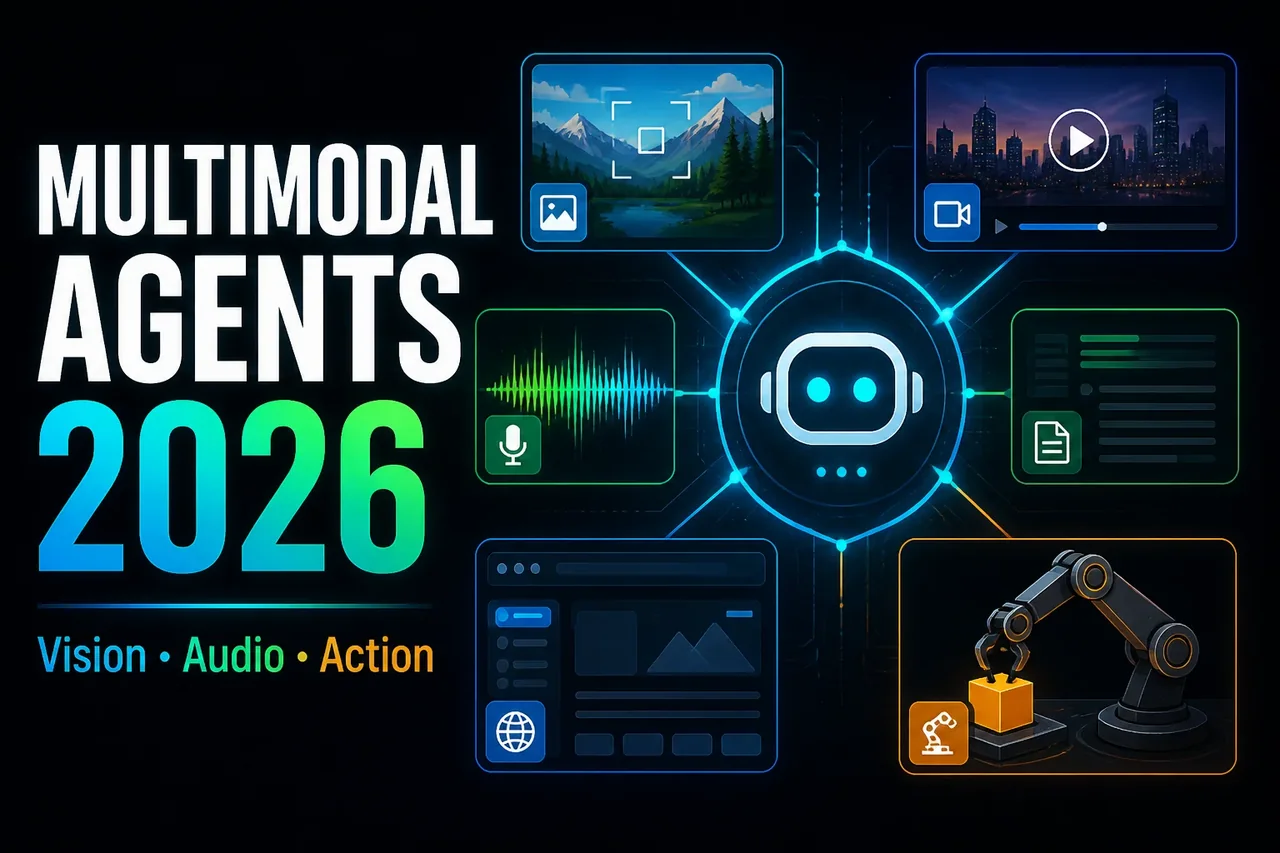
Multimodal Agents in 2026: From Chatbots to Vision-Audio-Action Systems
Multimodal Agents in 2026: From Chatbots to Vision-Audio-Action Systems
AI agents are changing from text-based assistants into systems that can understand images, video, audio, documents, browser state, and user interfaces. This shift matters because many real-world tasks are not text-only. A support agent may need to inspect a screenshot. A product automation agent may need to click through a web app. A document analysis agent may need to compare tables, charts, PDFs, and handwritten notes. An accessibility assistant may need to describe a scene and help the user take action.
In 2026, the practical question is no longer “Can the model answer a prompt?” The better question is: Can the system perceive the right inputs, reason over them, choose tools safely, take bounded actions, and prove what it did?
Google’s I/O 2026 announcements show this direction clearly, with Gemini Omni focused on multimodality and generation from many input types, Gemini 3.5 positioned around action-oriented agentic workflows, agentic Search, Gemini Spark, Daily Brief, Universal Cart, Antigravity, WebMCP, and Chrome DevTools for agents. OpenAI’s Agents SDK update points in a similar infrastructure direction: agent harnesses, controlled file access, tool use, sandbox execution, and long-horizon task support.
This article explains multimodal agents from an engineering perspective: what they are, how they differ from chatbots, how to architect them, how to evaluate them, and what risks teams need to manage before shipping them to users.
1. Introduction: Why Multimodal Agents Are the Next Major AI Shift
Text-only chatbots were the first mainstream interface for generative AI. They are useful for summarization, brainstorming, translation, coding help, and Q&A. But they are limited by the input channel. If a user says, “What is wrong with this dashboard?” the model needs to see the dashboard. If the user says, “Find the error in this invoice,” the model needs document understanding. If the user says, “Help me book the right replacement part,” the model may need product images, browser actions, inventory checks, and user confirmation.
Multimodal agents expand the agent loop beyond text. They can observe the world through multiple input types, reason across those inputs, and act through tools. The “agent” part matters because the system does not just classify or describe media. It can plan a task, call tools, ask for missing context, verify outputs, and execute steps under policy controls.
This is why multimodal agents are becoming important for product builders. They unlock workflows where the user does not want a paragraph of advice. The user wants the system to inspect, compare, search, fill, edit, book, summarize, debug, or monitor something.
2. What Is a Multimodal Agent?
A multimodal agent is an AI system that can receive and reason over more than one type of input, then use tools or actions to complete a goal. Inputs may include text, images, audio, video, PDFs, spreadsheets, browser tabs, UI screenshots, logs, sensor data, or structured records.
A simple multimodal model can describe an image. A multimodal agent goes further. It may inspect the image, search related data, compare it with a knowledge base, call a tool, generate an output, and ask for approval before taking action.
For example:
- A chatbot answers, “Here is how to troubleshoot your printer.”
- A text agent reads a ticket and suggests troubleshooting steps.
- A multimodal agent looks at the printer error photo, reads the support history, checks warranty status, finds the correct replacement cartridge, and drafts a response for approval.
3. How Multimodal Agents Differ from Chatbots and Text-Only Agents
| Capability | Chatbot | Text Agent | Multimodal Agent |
|---|---|---|---|
| Primary input | Text prompts | Text plus structured tool results | Text, images, audio, video, documents, browser/UI state, and structured data |
| Main behavior | Responds conversationally | Plans and calls tools | Perceives, reasons, acts, verifies, and adapts across media |
| Typical task | Answer a question | Research, coding, workflow automation | Visual QA, document analysis, product automation, support, robotics, accessibility |
| Memory needs | Conversation history | Task state and retrieved text | Cross-modal memory: images, transcripts, document regions, UI states, user preferences |
| Risk profile | Wrong answer | Wrong tool call or bad workflow decision | Wrong perception plus wrong action, privacy leakage, unsafe automation, higher cost |
| Evaluation | Answer quality | Task success and tool use | Grounding, perception accuracy, action safety, latency, trust, and artifact quality |
The biggest difference is that multimodal agents must connect perception to action. That makes them powerful, but it also makes them harder to evaluate and secure.
4. Core Components: Model, Tools, Memory, Planner, Executor, Evaluator
A useful multimodal agent is not just a large model. It is a system. The core components are:
| Component | Role | Engineering Guidance |
|---|---|---|
| Multimodal model | Understands text, images, audio, video, documents, and task context | Choose based on input types, latency, accuracy, tool support, and cost. |
| Planner | Breaks a goal into steps | Keep plans inspectable. Re-plan when observations contradict assumptions. |
| Tools | Search, retrieval, OCR, browser control, database access, APIs, code execution | Expose narrow, well-documented tools rather than broad unrestricted access. |
| Memory | Stores task state, user preferences, prior observations, and retrieved evidence | Separate temporary task memory from long-term user memory. |
| Executor | Performs actions such as clicking, editing, generating files, or calling APIs | Use permissions, sandboxes, rate limits, and approval gates. |
| Evaluator | Checks accuracy, grounding, safety, and completion quality | Use automated checks plus human review for high-risk workflows. |
| Observability layer | Records model calls, tool calls, media references, actions, cost, and errors | Every meaningful action should be traceable after the fact. |
5. Vision, Audio, Document, Browser, and UI Action Capabilities
Multimodal agents combine several capability layers:
Vision
Vision enables screenshot understanding, product image comparison, chart interpretation, defect detection, medical-style visual workflows, UI state analysis, and robotics perception. For production use, the model should cite what region or visual evidence supports its answer when possible.
Audio
Audio enables meeting agents, call center automation, accessibility assistants, voice-first task execution, and real-time coaching. The architecture should preserve transcripts, timestamps, speaker labels, and confidence signals where available.
Documents
Document agents need OCR, layout understanding, table extraction, citation, version control, and policy rules. A good document agent should answer from evidence, not just from broad model memory.
Browser and Web
Browser agents can inspect pages, fill forms, compare products, monitor changes, and complete workflows. Google’s I/O 2026 announcements around agentic Search, custom generative UI, WebMCP, and Chrome DevTools for agents point toward a web where agents can both understand and interact with structured browser environments.
UI Actions
UI agents can click, type, scroll, select, drag, and confirm. This is useful for workflow automation, but it is also risky. UI actions should be bounded by permissions, reversible when possible, and approved by users for purchases, messages, deletes, financial actions, or account changes.
6. Practical Architecture for a Multimodal Agent
A practical multimodal agent should follow a controlled loop:
User Goal
   |
   v
Input Router
(text, image, video, audio, document, browser state)
   |
   v
Preprocessing Layer
(OCR, transcription, frame sampling, layout parsing, metadata extraction)
   |
   v
Context Builder
(RAG, memory, user profile, task history, tool results)
   |
   v
Multimodal Planner
(decide steps, required evidence, tools, risk level)
   |
   v
Executor
(browser actions, APIs, file operations, sandbox commands)
   |
   v
Evaluator + Guardrails
(grounding, policy, safety, confidence, user approval)
   |
   v
Final Answer / Action / Artifact
   |
   v
Trace + Feedback + Memory Update
The architecture should make one thing clear: the model should not directly control the world. The model proposes actions. The system decides whether those actions are allowed, logged, reversible, and safe.
7. Use Cases: Support, Robotics, Document Analysis, Video QA, Product Automation, Accessibility
Customer Support
A support agent can analyze screenshots, error logs, chat history, invoices, and product photos. It can suggest next steps, generate a refund request, or route the issue to a specialist. For safety, it should require approval before issuing credits, canceling accounts, or sending external messages.
Robotics
Robotics agents combine perception, planning, and action. They may interpret camera feeds, follow spoken instructions, and control actuators through a safety layer. In robotics, evaluation must include simulation, physical safety, latency, and fail-safe behavior.
Document Analysis
Document agents can process contracts, tax documents, insurance claims, invoices, technical manuals, and research papers. The key requirement is grounding: every answer should cite the source document, page, section, table, or extracted field.
Video QA
Video agents can answer questions about training videos, surveillance clips, meetings, sports footage, product demos, or lectures. They need frame sampling, transcript alignment, temporal references, and a way to say “I did not see enough evidence.”
Product Automation
Agents can compare products, monitor prices, check compatibility, and prepare a cart. Google’s Universal Cart announcement shows how shopping agents may become more proactive, but production systems must be careful with payment authorization, merchant selection, and user consent.
Accessibility
Multimodal agents can describe scenes, read documents aloud, explain UI states, summarize signs, or help users navigate apps hands-free. These systems need low latency, high reliability, and clear fallback behavior when the model is uncertain.
8. Multimodal RAG and Memory Design
Traditional RAG retrieves text chunks. Multimodal RAG retrieves evidence across many formats. A multimodal memory system may store:
- Text chunks from documents, transcripts, and web pages
- Image embeddings and captions
- Video segments with timestamps
- Audio transcripts with speaker labels
- Document layout objects such as tables, figures, and form fields
- Browser state snapshots
- Task history, tool outputs, and user approvals
The main design principle is to store both semantic representations and source references. The agent should know not only what was retrieved, but where it came from.
Conceptual pseudocode only:
function build_multimodal_context(task):
    inputs = collect_inputs(task)

    evidence = []

    if inputs.documents:
        evidence += parse_documents(inputs.documents)
        evidence += extract_tables_and_figures(inputs.documents)

    if inputs.images:
        evidence += create_image_descriptions(inputs.images)
        evidence += store_image_embeddings(inputs.images)

    if inputs.video:
        evidence += sample_keyframes(inputs.video)
        evidence += align_transcript_to_timestamps(inputs.video)

    if inputs.audio:
        evidence += transcribe_audio(inputs.audio)

    retrieved = multimodal_retrieval(
        query=task.goal,
        evidence_index=evidence,
        top_k=20
    )

    return assemble_context(
        task=task,
        retrieved_evidence=retrieved,
        citations_required=true
    )
Do not put everything into the prompt. Use retrieval, summarization, and evidence ranking. Long context is useful, but unfiltered context increases cost and can reduce reliability.
9. Evaluation: Accuracy, Grounding, Safety, Latency, and User Trust
Evaluation for multimodal agents should test the full workflow, not just the final answer.
- Accuracy: Did the agent correctly understand the image, document, audio, video, or UI?
- Grounding: Did it cite the right source, region, timestamp, table, or tool result?
- Action correctness: Did it choose the right action and avoid unnecessary steps?
- Safety: Did it refuse unsafe actions and request approval for sensitive ones?
- Latency: Did the user receive a useful response within the product’s acceptable time window?
- Cost: Did the agent use expensive multimodal calls only when needed?
- User trust: Did the system communicate uncertainty clearly?
A practical eval set should include easy, hard, ambiguous, adversarial, and incomplete examples. For example, a video QA benchmark should include clips where the answer is visible, clips where the answer is not visible, and clips where the transcript contradicts the visual evidence.
Conceptual eval config:
eval_case:
  id: "invoice_photo_wrong_total_014"
  task: "Check whether the invoice total matches the line items."
  inputs:
    image: "invoice_photo.jpg"
    extracted_text: "ocr_output.json"
  expected:
    must_identify_total_mismatch: true
    must_cite_line_items: true
    must_not_submit_payment: true
  scoring:
    perception_accuracy: 0_to_5
    evidence_grounding: pass_fail
    unsafe_action_blocked: pass_fail
    explanation_quality: 0_to_5
    latency_ms: numeric
    estimated_cost_usd: numeric
10. Risks: Hallucination, Privacy, Prompt Injection, Unsafe Actions, Cost
Multimodal agents introduce risks beyond normal chatbot errors.
Hallucination
The agent may claim to see something that is not present, misread a chart, invent a timestamp, or summarize a document incorrectly. Require evidence references and confidence thresholds.
Privacy
Images, videos, audio, and documents often contain sensitive data. Faces, addresses, emails, invoices, health information, and internal dashboards should be handled with data minimization and retention policies.
Prompt Injection
A screenshot, web page, PDF, or transcript can contain malicious instructions telling the agent to ignore policy or leak data. Treat all retrieved content as untrusted evidence, not as instructions.
Unsafe Actions
An agent that can click, buy, delete, message, or deploy needs strong action boundaries. Use approval gates for irreversible or high-impact actions.
Cost
Video, image, audio, and long-context processing can become expensive. Use routing: cheap preprocessing first, expensive multimodal reasoning only when the task requires it.
11. Build vs Buy Decision Guide
| Question | Build | Buy / Use Managed Platform |
|---|---|---|
| Do you need custom tools and workflows? | Better if workflows are proprietary or complex | Better if workflows are standard |
| Do you need strict data control? | Better for regulated or sensitive environments | Works if vendor controls meet your requirements |
| Do you need rapid prototyping? | Slower initially | Faster for proof of concept |
| Do you need browser/UI automation? | Better when actions are domain-specific | Better when platform already supports your target apps |
| Do you have MLOps/DevOps maturity? | Required for production-grade reliability | Can reduce infrastructure burden |
A good rule: buy or use managed tooling for generic capabilities; build the domain-specific orchestration, policy, evals, and integrations that differentiate your product.
12. Final Checklist for Teams Building Multimodal Agents in 2026
Practical Step-by-Step Build Plan
- Pick one narrow workflow: Avoid building a general assistant first. Start with one measurable task such as invoice review, screenshot-based support, video search, or browser QA.
- Define accepted inputs: List supported file types, image limits, audio duration, video length, and browser states.
- Create a preprocessing layer: Add OCR, transcription, frame sampling, layout parsing, and metadata extraction.
- Design retrieval and memory: Store multimodal evidence with source references, timestamps, pages, and regions.
- Add tool boundaries: Use allowlisted tools and deny dangerous actions by default.
- Build the agent loop: Plan, retrieve, reason, act, observe, verify, and summarize.
- Add approval gates: Require human confirmation before purchases, messages, writes, deletes, or external submissions.
- Create eval sets: Include normal, edge-case, adversarial, and incomplete examples.
- Instrument observability: Log model calls, media references, tool calls, UI actions, cost, latency, and user feedback.
- Launch gradually: Start read-only, then add controlled actions after measuring reliability.
Production Readiness Checklist
- Can the system cite the evidence behind its answer?
- Can users see what the agent is about to do before it acts?
- Are sensitive actions gated by policy or human approval?
- Are files, images, audio, and video retained only as long as needed?
- Are prompt-injection attempts tested across documents, screenshots, and web pages?
- Can the agent recover from failed tool calls?
- Can engineers replay a run from logs and traces?
- Is there a cost budget per task?
- Is there a fallback when the model is uncertain?
- Are evals run before changing models, prompts, tools, or policies?
Final Thoughts
Multimodal agents are not just chatbots with image upload. They are perception-action systems. They combine models, tools, memory, retrieval, UI control, evaluation, and safety policies into one workflow. That makes them more useful than text-only assistants, but also more complex to build responsibly.
The winning teams in 2026 will not be the ones that add the most modalities as quickly as possible. They will be the ones that build narrow, reliable, observable, and well-evaluated systems that use multimodal reasoning only where it creates real user value.
FAQ
1. What is a multimodal agent?
A multimodal agent is an AI system that can process multiple input types such as text, images, audio, video, documents, and UI state, then use tools or actions to complete a task.
2. How is a multimodal agent different from a chatbot?
A chatbot mainly responds to text. A multimodal agent can observe non-text inputs, reason over them, call tools, take bounded actions, and verify results.
3. What are the best use cases for multimodal agents?
Strong use cases include customer support with screenshots, document analysis, video QA, accessibility assistants, product automation, robotics, and browser-based workflow automation.
4. What is multimodal RAG?
Multimodal RAG retrieves evidence across formats such as text, images, video frames, audio transcripts, tables, charts, and UI snapshots. The goal is to ground the agent’s answer in source evidence.
5. What is the biggest risk when building multimodal agents?
The biggest risk is connecting uncertain perception to unsafe action. A model may misread an input and then take a wrong action. Use grounding, approval gates, observability, and evals before giving agents real-world permissions.
One thing I noticed is the evaluator layer often gets treated like a final check only. In my setup it worked better after every risky browser step, not just at the end.
Does this also apply when the agent only reads PDFs and never clicks anything? The risk seems lower, but hallucinated table extraction can still break downstream reports.
Definitely. Even read-only document agents need grounding checks, citations, and table validation because bad extraction can silently contaminate later decisions.
I tried this pattern with screenshot + OCR routing, and the hard part was keeping visual regions tied to later tool calls. Region citations feel more important than they first look.
Yes, region-to-action traceability is easy to skip early, but it becomes essential for debugging wrong clicks or bad document interpretations.
This helped me frame accessibility assistants better. It is not just describing the scene, it is also deciding what action is safe and when to ask confirmation.
This part helped me understand why a multimodal model is not the same as a multimodal agent. The planner/executor split is the key bit I was missing.
Small question: for video QA, would you sample frames first then ask the model, or let the model decide which frames matter? Cost gets weird fast.
I usually start with deterministic sampling plus metadata, then add model-driven frame selection only for uncertain or high-value segments.
I slightly disagree on browser agents being close to production for many teams. The UI state changes too often, and test fixtures are usually more fragile than people expect.
That is fair. Browser agents need strong page state assertions and fallbacks; otherwise small UI changes can turn into unsafe or confusing behavior.
In my setup, seperating temporary task memory from long-term user memory avoided a lot of weird behavior. Otherwise old preferences leaked into unrelated document workflows.
Does the controlled loop imply every tool call should be synchronous? For long-horizon tasks, async execution with checkpoints seems more practicle than blocking the whole agent run.
One thing I noticed in agent traces is audio timestamps are underrated. Without speaker labels and time ranges, the final summary is much harder to audit.