
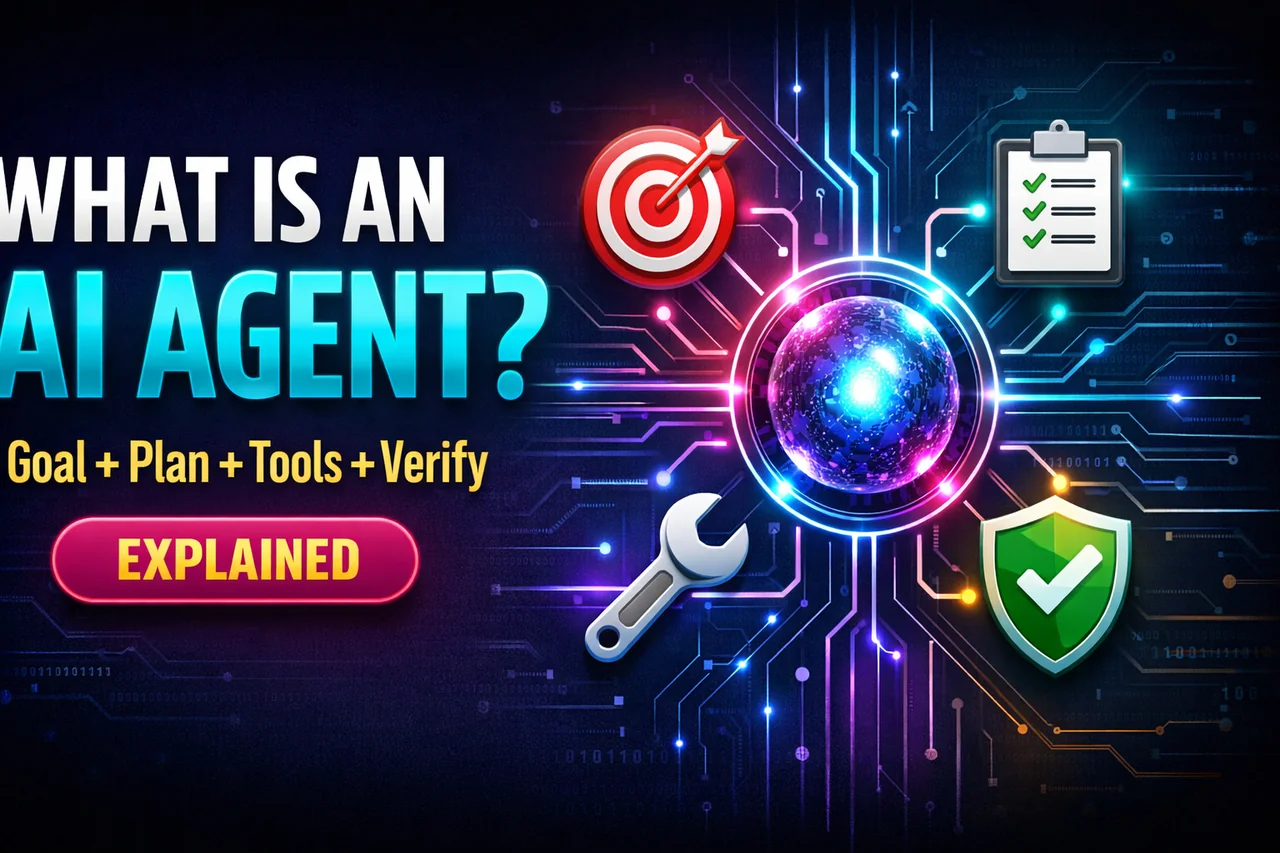
What an AI Agent Actually Is (and Is Not): Goal + Plan + Tool Calls + Verification
What an AI Agent Actually Is (and Is Not): Goal + Plan + Tool Calls + Verification
In early 2026, “AI agent” is one of the most overused words in tech. Some people use it to mean a chatbot that can browse the web. Others mean an automation script with an LLM bolted on. And a few mean “a fully autonomous employee in the cloud” that runs your business while you sleep.
Most of the confusion comes from collapsing very different systems into one label. If you are building products, running a team, or writing about AI, you need a clear definition you can apply in real systems.
This post gives you that definition. It also explains why 2026 teams are standardizing agentic workflows, not because it sounds cool, but because it is the only reliable way to ship agents that are safe, measurable, and maintainable.
Table of contents
- A practical definition of an AI agent
- The agent loop: sense, plan, act, verify
- The four ingredients: goal, plan, tool calls, verification
- What an AI agent is not
- Why 2026 teams are standardizing agentic workflows
- Anatomy of an agentic workflow (a blueprint)
- Common agent architecture patterns
- Verification techniques that actually work
- How to measure and evaluate agents
- A concrete example: an agent that resolves customer refund requests
- Common failure modes (and how to prevent them)
- How to build your first agent the 2026 way
- FAQ
A practical definition of an AI agent
An AI agent is a system that repeatedly takes steps toward a goal by making plans, calling tools, and verifying outcomes.
That definition might sound simple, but it is doing important work:
- “System” means it is more than a single prompt. It includes state, tool interfaces, and guardrails.
- “Repeatedly takes steps” means it can perform multi-step work, not just answer once.
- “Toward a goal” means success is defined in a way you can evaluate.
- “Making plans” means it decomposes tasks and chooses actions, even if the plan is shallow.
- “Calling tools” means it can act in the world: fetch data, run code, update systems, send messages, create tickets, query databases.
- “Verifying outcomes” means it does not blindly trust its own output. It checks, tests, or asks for approval.
If you remember only one line, remember this:
Agent = goal + plan + tool calls + verification
Without verification, you have a demo. Without tool calls, you have a smart text generator. Without a goal, you have a conversation. Without planning, you have a one-shot function call.
The agent loop: sense, plan, act, verify
Most real agents can be understood as a loop. They observe what is happening, decide what to do next, do it, then check whether it worked.
Here is a simple mental model you can reuse in your own writing and design reviews:
INPUT (task request, context, constraints)
        ↓
SENSE (read instructions, retrieve context, inspect state)
        ↓
PLAN (decide steps, select tools, estimate risks and cost)
        ↓
ACT (call tools, transform data, write drafts, take actions)
        ↓
VERIFY (tests, validators, citations, approvals, policy checks)
        ↓
UPDATE STATE (store results, logs, decisions)
        ↓
DONE? If not, loop back to SENSE
It is tempting to think the “intelligence” lives in the planning step only. In production, the secret is that verification and state management matter just as much. A mediocre planner with strong verification beats a brilliant planner that never checks its work.
The four ingredients: goal, plan, tool calls, verification
Let’s make each ingredient concrete and practical.
1) Goal: the agent’s definition of “done”
A goal is not just “help the user.” A goal is a target with boundaries. Good goals have:
- Deliverable: what should be produced (a report, a ticket update, a code patch, a summary, a decision).
- Constraints: time window, budget, style rules, compliance rules, tools allowed.
- Acceptance criteria: how you will judge success (must cite sources, must pass tests, must match schema, must be approved by a human).
Example goal (weak): “Create a marketing plan for our app.”
Example goal (strong): “Create a 2-page marketing plan for our app targeted at Indian SMBs, including a positioning statement, three channels with budgets, and a 30-day launch timeline, using only the provided product notes. Output must be in HTML and include a risks section.”
In 2026, teams are learning that the easiest way to improve agents is not “better prompting.” It is better goal specification plus tighter acceptance criteria.
2) Plan: turning a goal into steps
Planning can be explicit or implicit. A system counts as agentic when it can:
- Decompose a task into subtasks (research, draft, validate, send).
- Select tools for each subtask (database query, CRM update, web search, code execution).
- Adapt if a step fails (retry with different parameters, request missing info, escalate to a human).
A practical way to think about planning is as a decision policy: given the current state, what is the next best action?
Plans can be:
- Static: a fixed workflow with minor branching.
- Dynamic: the agent chooses steps based on what it finds.
- Hybrid: a fixed skeleton with flexible sub-steps (common in production).
In production, hybrid planning wins because it is easier to test and govern.
3) Tool calls: where agents become useful
Tools are what separate “talking” from “doing.” A tool can be anything that returns information or causes a real action, such as:
- Search and retrieval (document store, vector DB, wiki, ticket system)
- Data queries (SQL, analytics dashboards, CRM APIs)
- Computation (run code, calculate, transform files)
- Communication (draft an email, create a Slack message, open a ticket)
- Execution (trigger a workflow, update a record, deploy a change)
Tool calls are where risk lives, too. Giving an agent tools is like giving it hands. You need permissions, logging, rate limits, and safe defaults.
In 2026, a lot of “agent work” is really about turning messy real-world systems into safe, well-defined tools that an LLM can call.
4) Verification: the difference between a demo and a product
Verification is the most neglected part of agent design, and the most important.
Agents fail in ways that look confident. They can:
- Invent facts and citations.
- Call the wrong tool with the wrong parameters.
- Miss edge cases and silently ship broken output.
- Get tricked by malicious instructions in retrieved content.
- Loop forever because “it feels like” there is more to do.
Verification is how you prevent these failures from reaching users or production systems. It includes:
- Schema validation (output must match JSON schema or strict format)
- Deterministic checks (unit tests, constraints, allowed values, PII detection)
- Cross-checking (compare to sources, run a second pass, or use a separate model as a judge)
- Human approval for high-stakes actions
- Policy enforcement (no unsafe content, no disallowed actions)
Verification turns agent behavior into something you can trust, measure, and improve.
What an AI agent is not
Now that we have a usable definition, let’s clear up common misconceptions.
1) An agent is not just a chatbot with a “tools” button
Many chatbots can call tools, but they still behave like single-turn systems: user asks, model answers. The moment you need multi-step work with state and retries, you need an agent loop and workflow structure.
2) An agent is not “a long prompt that thinks harder”
A long prompt can create the illusion of planning, but without actual tool calls and verification it is still a text generator. Real agents interact with systems, store state, and adapt when the world pushes back.
3) An agent is not RPA with fancy language
Classic automation (RPA, scripts, workflows) follows predefined steps. Agents add a decision-making layer that chooses actions based on context and uncertainty. But the best systems combine both: deterministic automation for critical steps, agent flexibility for messy parts.
4) An agent is not fully autonomous by default
“Autonomous” sounds exciting, but most business value comes from bounded autonomy:
agents can do low-risk actions automatically, and request approval for high-risk actions. This is how enterprises ship agents without waking up to disasters.
5) An agent is not a replacement for ownership
Agents do not eliminate the need for product owners, operators, and engineers. In practice, agents create new responsibilities: tool design, evaluation, monitoring, incident response, and governance. If nobody owns those, your “agent” becomes a fragile liability.
Why 2026 teams are standardizing agentic workflows
In 2023 and 2024, teams shipped experiments. In 2025, many started pilots. In early 2026, the theme is different: standardization.
Teams are standardizing agentic workflows for five pragmatic reasons:
1) Repeatability beats hero prompts
When a workflow is standardized, you can run it 1,000 times and know what “normal” looks like. You can version it, test it, and roll back changes. Hero prompting creates one-off success that cannot be maintained.
2) Governance and auditability are now requirements
Once agents touch customer data, financial records, or production systems, you need audit trails:
what the agent saw, what it decided, which tools it called, and why it took actions. Workflows make that possible.
3) Cost control is an engineering problem
Agent loops can get expensive fast. Standard workflows let you add budgets:
maximum tool calls, maximum tokens, timeouts, and graceful degradation. Without workflows, cost is unpredictable.
4) Reliability is only achievable with verification
As models get more capable, they also get better at sounding right while being wrong. The only scalable fix is layered verification baked into workflows.
5) Security threats target agent behavior
Prompt injection, data exfiltration, and tool misuse are agent-native risks. Standard workflows let security teams enforce policies and isolate risky steps.
Put simply: agentic workflows turn “cool AI behavior” into “operational software.”
Anatomy of an agentic workflow (a blueprint)
If you want a template you can apply to almost any agent use case, use this structure:
Step 0: Define the contract
- What is the input?
- What is the output format?
- What counts as success?
- What is forbidden?
- Which tools are allowed?
Step 1: Intake and clarification
Capture the request, infer missing details, and either ask for them or choose safe defaults. Many failures happen here because the agent assumes things the user never said.
Step 2: Context retrieval
Retrieve only the relevant documents and data. Add provenance: where each piece of context came from.
Step 3: Planning and risk assessment
Create a step plan, estimate effort and cost, and flag high-risk actions that require approval.
Step 4: Execution with tool calls
Run actions with guardrails:
least privilege permissions, parameter validation, rate limits, and safe retries.
Step 5: Verification and quality checks
Validate format, facts, and policy compliance. Run deterministic checks. If checks fail, loop back to planning or retrieval.
Step 6: Output and logging
Deliver results, plus a short explanation of what was done. Log state transitions, tool calls, and verification outcomes for monitoring and audits.
This is what people mean by “agentic workflow.” It is not magic. It is a disciplined pipeline around an LLM.
Common agent architecture patterns
There is no single best architecture, but these patterns show up repeatedly in production systems.
Pattern A: Single agent with tools (the starter pattern)
One model does planning and execution, calling tools as needed. This is easiest to build and often enough for low-risk workflows.
Pattern B: Planner-executor
One component writes a plan. Another executes steps. This reduces chaos because execution follows a contract. It also makes debugging easier.
Pattern C: Orchestrator and specialists
An orchestrator agent delegates to specialist agents: researcher, writer, data analyst, compliance checker. This is powerful when tasks are complex but can increase cost.
Pattern D: Committee and judge
Multiple candidates are generated, then a judge selects or merges them. When paired with deterministic checks, this can boost quality for writing and reasoning tasks.
Pattern E: Human-in-the-loop gating
For high-stakes actions (refund approvals, vendor payments, production changes), the agent prepares a recommendation, and a human approves the final action.
In 2026, many teams start with Pattern A, then evolve toward Pattern B plus human gating, because it is easier to operate and scale.
Verification techniques that actually work
Verification is where you win. Here are techniques that are practical and proven across many agent use cases.
1) Structured outputs and schemas
Instead of letting the model produce free-form text for internal steps, enforce formats:
- JSON with required fields
- Enumerated values
- Length limits and regex patterns
Even if the final user output is narrative, internal steps should be structured. This is how you reduce ambiguity.
2) Deterministic validators
Use code to check what code is good at checking:
- Does the output match schema?
- Are required fields present?
- Are there forbidden actions?
- Is sensitive data being exposed?
- Does a computed total match the sum of line items?
Think of validators as unit tests for agent behavior.
3) Source-grounding checks
If an agent uses retrieved documents, enforce that key claims cite those documents. You can do this with:
- Inline citations mapped to retrieved sources
- Extraction-based summaries
- Claim-checking passes that flag uncited assertions
4) Tool-result verification
Tool calls should be verified the same way you verify an API integration:
- Confirm the call succeeded (status codes, error handling)
- Validate returned data types
- Check that the result actually satisfies the need
A common mistake is treating tool output as automatically correct. Tools fail too.
5) “Self-check” is not enough
Asking the same model to critique itself can help, but it is not a reliable safety net. Treat self-checking as a minor signal, not your verification layer.
6) Human approval gates for irreversible actions
If an action cannot be undone (sending money, deleting records, emailing customers), require a human approval step. This is not a weakness. It is good engineering.
7) Sandboxing and least privilege
Agents should operate with minimal permissions. Use scoped API keys, allowlists, and read-only modes where possible. If the agent is compromised or confused, damage should be limited by design.
How to measure and evaluate agents
If you cannot measure it, you cannot improve it. In 2026, the most effective teams treat agent performance like production reliability.
Core metrics
- Task success rate: percentage of tasks that meet acceptance criteria
- Verification pass rate: how often outputs pass validators on first try
- Cost per task: tokens + tool usage + human time
- Time to completion: latency and step durations
- Tool error rate: how often tool calls fail, timeout, or return invalid data
Risk metrics
- Policy violation rate: unsafe, disallowed, or non-compliant behavior
- Escalation rate: how often human intervention is required
- Incident rate: real-world failures that reached users or systems
These metrics work best when measured per workflow version. That is another reason teams standardize workflows: it creates a unit you can evaluate and improve.
A concrete example: an agent that resolves customer refund requests
Let’s make this real. Imagine you run an ecommerce business. You receive refund requests by email and support tickets. Each request must be evaluated against policy, order history, and payment records.
A naive approach is to let a model read the request and decide. That fails for obvious reasons: hallucinations, policy misreads, and inconsistent decisions.
A 2026-style agentic workflow looks like this:
Goal
“For each refund ticket, produce one of three outcomes: approve, deny, or escalate. Include a policy-based rationale, required evidence, and a draft customer message. Never issue refunds directly. Output must match a strict JSON schema. High-risk cases must be escalated.”
Tools
- Ticket API (read ticket, update status)
- Orders DB query (order date, items, delivery confirmation)
- Payments service (payment method, chargeback flags)
- Policy document retrieval (refund rules by category and region)
- PII redaction tool (mask sensitive data in messages)
Workflow run (step-by-step)
Step 1: Intake
The agent reads the ticket and extracts structured fields:
- Order ID
- Reason for refund
- Product category
- Customer region
- Requested amount
Step 2: Retrieve context
It calls tools to fetch order and payment facts, then retrieves relevant policy sections for that category and region.
Step 3: Plan
It decides which checks are required. For example:
- If delivery was confirmed more than 14 days ago, likely deny unless special exceptions apply.
- If product is defective and within window, likely approve.
- If there is a chargeback flag, escalate.
Step 4: Decide outcome
It selects approve/deny/escalate, but it cannot finalize without verification.
Step 5: Verification
- Schema validation: is the JSON correct?
- Policy grounding: does the rationale cite retrieved policy text?
- Data consistency: does requested amount match the order amount?
- Risk check: are there chargeback flags or unusual patterns?
Step 6: Output
It produces:
- A structured decision packet for internal use
- A draft customer message with masked sensitive details
- A suggested next action for the support agent
Notice what is missing: the agent never directly triggers a refund. That is a design choice. The workflow is built to be useful without being dangerous.
This example shows the real meaning of “agent” in production: not a robot employee, but a controlled system that can do multi-step work safely.
Common failure modes (and how to prevent them)
Most agent failures fall into a few buckets. If you understand them, you can design around them.
Failure 1: Infinite loops and “busy work”
Agents sometimes keep taking steps because they do not have a clear done condition. Fix it with:
- Explicit acceptance criteria
- Max step limits
- Budgets (time, tool calls, tokens)
- A “stop and summarize” fallback
Failure 2: Tool misuse
Agents can call the wrong tool or pass dangerous parameters. Fix it with:
- Allowlists for tools and actions
- Parameter schemas and validators
- Least privilege permissions
- Sandboxing for risky tools
Failure 3: Hallucinated facts
Fix it with:
- Retrieval plus grounding requirements
- Deterministic checks
- Separate verification passes
- Escalation when evidence is missing
Failure 4: Prompt injection through retrieved content
If your agent reads emails, web pages, or documents, those sources can include malicious instructions. Fix it with:
- Clear separation between “data” and “instructions”
- Content sanitization and safe rendering
- Policy enforcement before any tool action
- Human approval for sensitive actions
Failure 5: Silent quality regression
Agents can degrade after model updates, prompt edits, or tool changes. Fix it with:
- Offline evaluation sets
- Regression tests for workflows
- Versioning of prompts, tools, and policies
- Monitoring on real traffic with safe rollback
This is why “agentic workflow” thinking is winning: it forces teams to build systems that anticipate failure rather than assuming intelligence is enough.
How to build your first agent the 2026 way
If you are starting from scratch, here is a practical path that avoids the most common traps.
1) Start with a narrow workflow
Pick a task that is:
- High frequency
- Moderate complexity
- Low to medium risk
- Easy to verify
Examples: summarizing tickets, drafting internal reports, extracting structured data from emails, generating meeting notes with action items.
2) Define acceptance criteria before you write prompts
Write down what “good” means. Add format constraints. Identify what must be grounded in sources.
3) Design tools like products
A tool should have:
- A clear name and description
- Strict input and output formats
- Safe defaults
- Rate limits and timeouts
- Permission scopes
Great tools make average models perform well.
4) Build verification early
Add schema validation and deterministic checks from day one. Do not postpone verification until after you “get it working.” Without verification, “working” is an illusion.
5) Add human gates for risk
Decide which actions require approval. Build an escalation path. Track escalations as a metric, not a failure.
6) Instrument everything
Log:
- Inputs and sanitized context
- Plans and decisions
- Tool calls and results
- Verification outcomes
- Final outputs
When something goes wrong, your logs are your debugger.
7) Evaluate and iterate
Create a small “gold set” of tasks and expected outcomes. Run them automatically whenever you update prompts, tools, or models.
That is how you turn an agent from a prototype into a reliable capability your team can scale.
When you should not use an agent
Not every problem needs agentic complexity. You probably do not want an agent when:
- The task is a simple deterministic transformation (use code).
- You cannot verify correctness and the risk is high.
- Tool access is unavailable or too dangerous to expose.
- The cost of multi-step loops outweighs the benefit.
- A single-turn assistant response solves the user need.
In 2026, the best teams are not the ones using agents everywhere. They are the ones using agents where workflows and verification make them safe and profitable.
FAQ
Is an agent the same as “autonomous AI”?
No. Autonomy is a spectrum. Many useful agents have bounded autonomy: they can gather data and propose actions, but require approval for irreversible steps.
Do I need multiple agents (multi-agent) to build something serious?
Not always. Many production systems succeed with a single agent plus well-designed tools and strong verification. Multi-agent designs can help for complex tasks, but they can also increase cost and operational complexity.
What is the biggest mistake teams make with agents?
Skipping verification. The second biggest mistake is giving the agent powerful tools without strong permissions, validation, and audit logging.
What is an “agentic workflow” in one sentence?
A structured, versioned pipeline where an LLM plans and takes tool-assisted steps toward a goal, with built-in verification and safe stopping conditions.
Conclusion: the 2026 definition that holds up
If you want a definition that survives hype cycles, use this:
An AI agent is a goal-driven system that plans, calls tools, and verifies outcomes in a loop.
That last part, verification, is why agentic workflows are becoming standard in early 2026. Teams are learning that intelligence alone does not create reliability. Workflows do.
If you are writing or building in this space, keep your focus on the fundamentals: goal clarity, bounded planning, safe tool interfaces, and verification that is more than a self-check. Do that, and “agent” stops being a buzzword and becomes a capability.
Author update
I will add more agent reliability tests as new frameworks release. If you want specific guardrail patterns, share your use case.